Equipment Tracker
Active

Equipment
Tracker

The team had no single source of truth for the equipment we own. Devices, accessories and furniture lived across half-updated spreadsheets, chat threads, and people's memories — and when something broke or moved, that history was lost.

I built Equipment Tracker so we'd always know who has what, where it is, and what state it's in — across categories, statuses, and team members, in one shared, searchable place.

Private app — screenshots only
Sole designer, developer, and operator
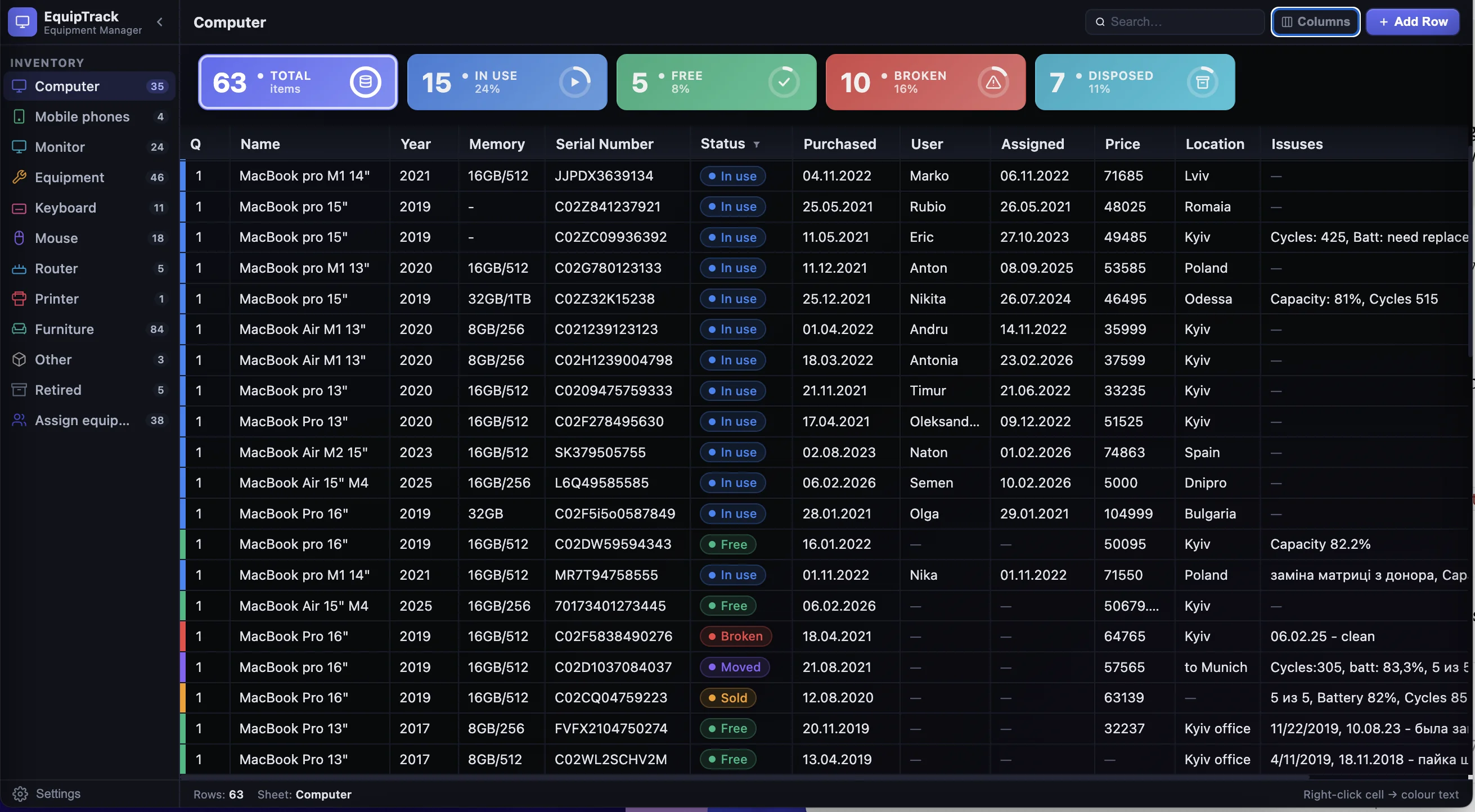
Equipment Tracker — main inventory page (dark mode)

Key Features

Smart Dashboard

Overview color stat cubes show equipment usage in the table at a glance.

Dashboard tiles — Total, In use, Free, Broken, Disposed

Flexible Table

Easily rename columns and customize the data structure to fit your workflow.

Column headers — Assigned, PRICE (renaming), Location

Column Filter

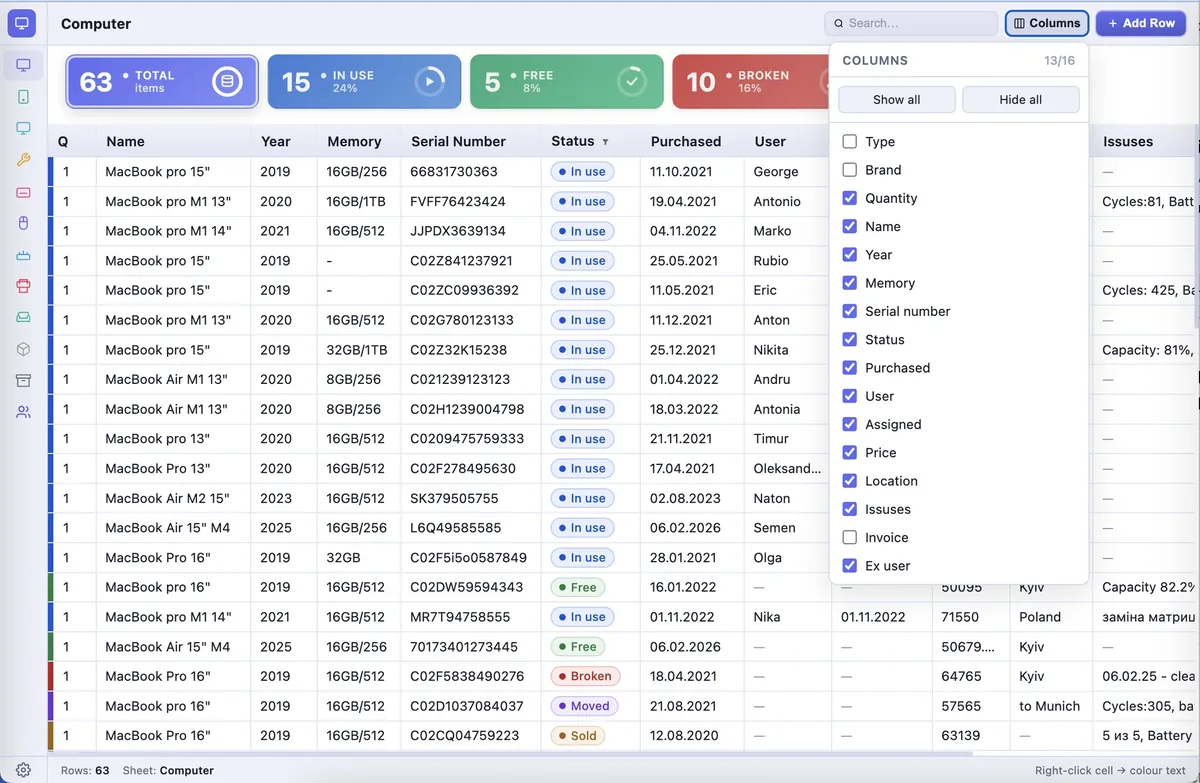
Choose which columns are visible to fit a clean, focused view of your data.

Columns panel — Show all / Hide all with column checkboxes

Status Management

Track equipment lifecycle across seven statuses with color-coded tags.

In use Free Disposed Moved Broken Sold Retired

Multiple Categories

Organize equipment across multiple categories — computers, phones, monitors, furniture, and more.

Category list — Computer, Mobile phones, Monitor, Equipment, Keyboard, Mouse, Router, Printer

Custom Sheets

Create your own personalized sheets and rename, reorder, or remove categories as needed.

New sheet name input with + Add button

Light & Dark Themes

Switch between light and dark themes for comfortable viewing in any environment.

Theme toggle — Light mode switch

Team Access

Invite team members and assign roles for collaborative inventory management.

ADMIN MEMBER

Inside the App

Main View
Main inventory view — table with column management panel
Item Details
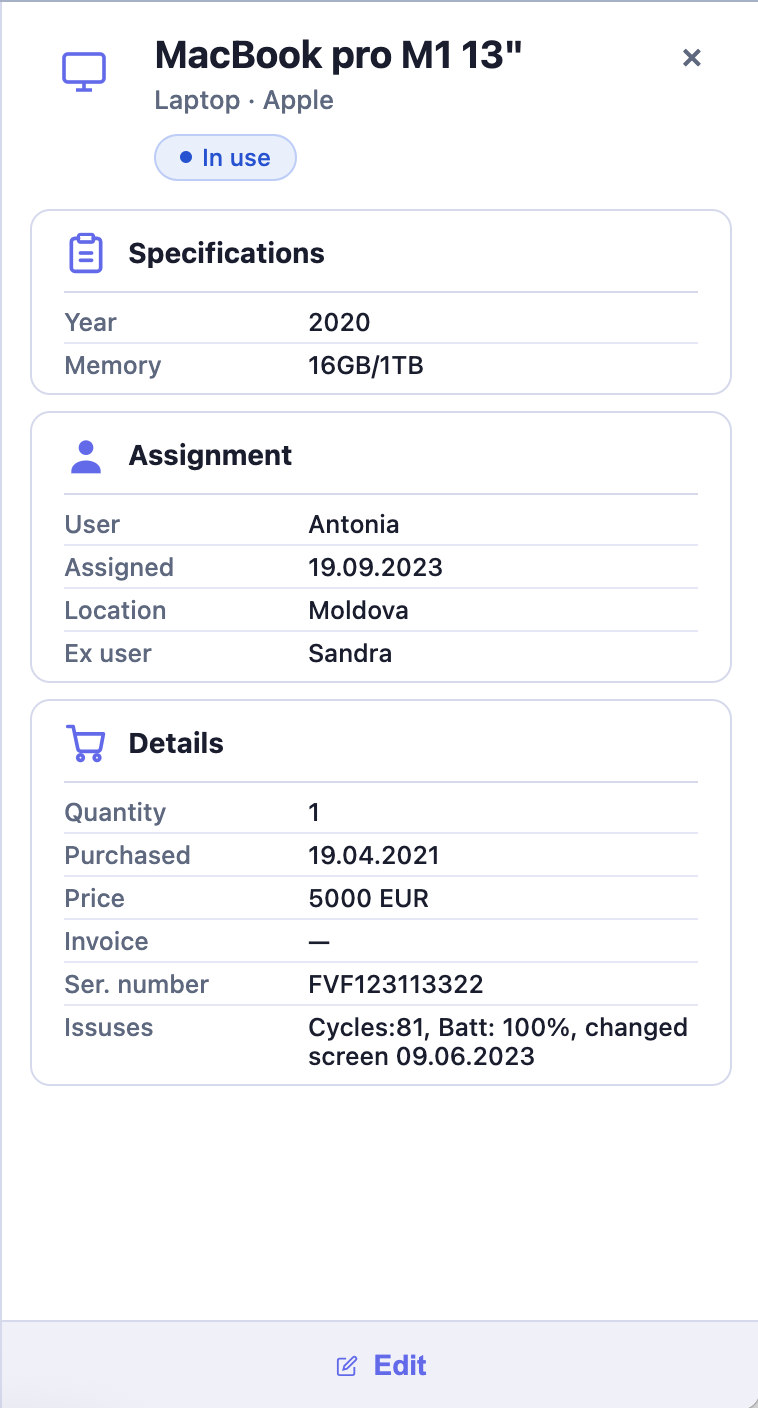
Item details panel — Specifications, Assignment, Details
Settings & Navigation
Settings & navigation — sheets, theme, team access

Documentation

  • README
  • Architecture
  • Security
  • Privacy
  • Deploy
  • QA
  • Project Checklist
  • CLAUDE.md

Tech Stack

  • HTML5
    HTML5 / CSS3 / Vanilla JS
    Single-file, no framework, no build step
  • Firebase
    Firebase
    Auth · Firestore · Hosting · App Check
  • Excel
    xlsx-js-style
    Styled Excel exports
  • Sentry
    Sentry
    Real-time error tracking
  • GitHub Actions
    GitHub Actions
    CI · secret scan · pre-merge
  • Inter
    Inter (Google Fonts)
    UI font

Security & Reliability

  • Firebase Auth
    Firebase Auth
    User authentication
  • Firestore Security Rules
    Firestore Security Rules
    Data access control
  • App Check
    App Check
    Protects from abuse
  • HTTPS
    HTTPS everywhere
    Secure data transmission
  • GitHub Actions
    Automated daily backups
    Firestore snapshots to JSON